Questionnaire

Text (Question Type)

This question type is used to enter a short text message, but it can also be set to accept longer texts. This is an open question type, which is more demanding for analysis later on.

When editing the field, there are several settings available through which the text input field can be adjusted:

  • The field can be different widths and sizes (from 1 to 30 lines).
  • You can also set the maximum number of characters that the respondents can enter as an answer (0 to 9999 characters).
  • Up to 4 input fields can be shown.

Example:
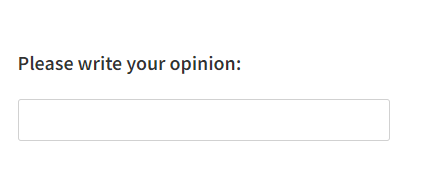
Text - question type

Related content

Granting Survey Access to 1KA Helpdesk

Protecting user data is one of 1KA's top priorities. Access to data is limited to the author (editor) of the survey and additional co-editors, which are added by the author of the survey.

1KA's helpdesk and the website administrator of www.1KA.si do not have access to surveys and data without the explicit consent of the user.

In case the user requires assistance from 1KA’s administrators, the user must grant temporary access to 1KA's helpdesk (until the issue is resolved). Despite granted access, administrators are still committed to the highest standards of privacy protection, as defined in the Terms of Use.

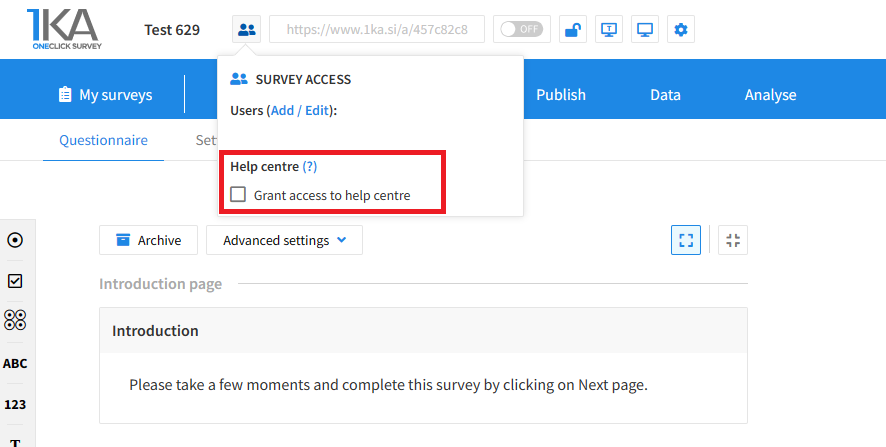
Each survey has an icon in the top left corner which enables you to grant access to 1KA's helpdesk and administrators. You have to click 'Grant access to help centre'.

Grant access to help centre
 

The author can add co-editors in the tab 'EDIT' – 'Settings' – 'Editor access'.

Related content

Calculations

The video guide shows how to use the calculation function in One Click Survey.

It can be used in various quizzes and tests, where we are interested in the score (e.g., number of points), based on the value of individual answers.

1KA Survey Import

This video guide shows you how to import the survey and data into the 1KA tool. The functionality is most often used when either transferring a survey from one installation to another version of the 1KA installation or when transferring a survey from one user account to another.

The following should be considered when transferring:

  • When copying the survey, not all advanced settings (e.g., validations) are transferred, the survey is not activated, etc. After downloading, therefore, make sure that all settings are the same as on the original.
  • The original version of the survey and a copy of the survey do not have the same URL. In case the original version of the survey is still active, you have 2 options:
    • You change the link to the survey on the pages where you published the survey (if you sent e-mail invitations, you must send the invitations again if you want the data to be collected in a new copied database);
    • You do not download the survey or data until you have finished collecting the data. Otherwise, you will not have new entries on the copy of the survey.

1KA is free to use for basic users